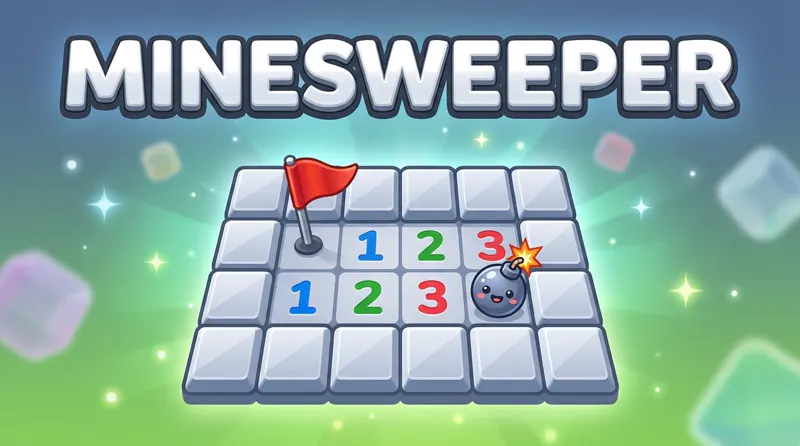
Classic Minesweeper, no install
Minesweeper is the classic logic game of hidden mines and numbered clues. Every number tells you how many mines are next to it, and with careful reasoning you can clear the whole field without stepping on one.
Play Minesweeper online free on any device. Every board here is built to be solvable by logic alone, so a loss is never down to a coin flip.
A short history of Minesweeper
Games about finding hidden mines appeared on home computers in the early 1980s, but Minesweeper became famous when a version was bundled with Microsoft Windows in the early 1990s. For many people it was the first logic puzzle they ever played on a computer. The version here is based on the open-source puzzle collection by Simon Tatham, which generates boards that can be solved without guessing.
How to play here
With a mouse, left-click a square to open it and right-click to plant a flag where you think a mine is. On a phone, tap to open and switch on Mark mode (the flag button next to Undo) to place flags. Your first click is always safe. Each number shows how many of the eight surrounding squares hide a mine. Open every safe square to win.
How to read the numbers
- Start with the 1s. A 1 touching exactly one unopened square tells you that square is a mine. Flag it.
- Clear around satisfied numbers. When a number already touches as many flags as its value, all its other neighbors are safe. Clicking the number opens them in one go.
- Learn the 1-2-1 pattern. Along a wall, 1-2-1 means the mines sit under the two 1s, and the square under the 2 is safe.
- Learn the 1-2-2-1 pattern. Along a wall, the mines sit under the two 2s, and the ends are safe.
- Subtract overlapping numbers. When two numbers share some unopened squares, the difference between them tells you about the squares only one of them touches.
Board sizes
Beginner boards (9×9 with 10 mines) teach the patterns. Intermediate (16×16 with 40 mines) is the classic challenge. Expert (30×16 with 99 mines) is a real test of speed and care. Use full screen for the big boards, and turn your phone sideways for more room.
How to play Minesweeper
- Click a square to reveal it. If it hides a mine, the game is over.
- A revealed number shows how many mines touch that square, including diagonals.
- Right-click, or long-press on a phone, to flag a square you know holds a mine.
- Reveal every square that is not a mine to win.
Minesweeper tips
Read the 1s first
A 1 touching only one hidden square means that square is a mine. Flag it, then every other square around neighboring 1s becomes safe.
Learn the 1-2-1 pattern
Along a wall, the sequence 1-2-1 means mines sit next to both 1s and not next to the 2. It is one of the most common patterns in the game.
Chord to save time
When a number already has all its mines flagged, click it to open every remaining neighbor at once.
Frequently asked questions
Is this the same Minesweeper as on Windows?
It follows the same classic rules and the same three standard boards. This version is generated so that every board can be solved without a forced guess.
What are the board sizes?
Beginner is 9×9 with 10 mines, intermediate is 16×16 with 40 mines, and expert is 30×16 with 99 mines.
How do I flag a mine on my phone?
Long-press the square, or switch to flag mode with the flag button, then tap.