Large pieces, no rush
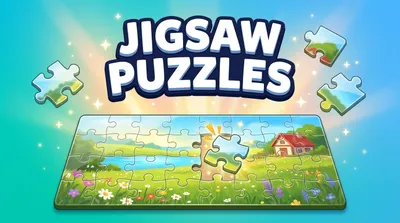
These free jigsaw puzzles for seniors use large pieces and a calm pace. This page offers 9, 16 or 36 pieces, so every piece is big, clear and easy to pick up with a finger or a mouse. There is no clock on screen, no score and nothing that can go wrong: a piece only clicks in where it really belongs, and you can stop and come back at any time.
There is nothing to download and no account to make. Pick a picture, choose a size and press Play. The first time, a hand shows how to move a piece, and after that the board, the pieces and the soft click explain the rest.
Easy to see
The board sits in a dark frame with a light border, so its edge is always easy to see against the background. Loose pieces have a soft shadow and a raised edge; when a piece clicks into place, the shadow drops away and the piece sits flat in the board, so you can tell at a glance which pieces are done. When you select a piece, it gets a thick yellow ring with a dark edge that shows up on any colour.
The Guide button (the eye) shows a faint copy of the picture on the board. It is on for your first puzzle, and you can switch it on or off at any time. Many players keep it on: it turns the puzzle into a relaxing game of matching each piece to its spot.
Tap instead of drag
If your hands are shaky, or dragging on a phone or tablet is tiring, you never have to drag. Tap a piece to select it, then tap the place on the board where it goes. The piece slides there by itself and clicks in if the spot is right. The pieces also jump into place from a little farther away on this page, so they do not need to be dropped exactly.
You can also play with a keyboard. Press Tab to reach the tray, use the arrow keys to choose a piece and press Enter to pick it up. A yellow box appears on the board: move it with the arrow keys and press Enter to drop the piece there.
How to make the pieces bigger
There are two easy ways:
- Choose fewer pieces. 9 pieces are the biggest, 16 are a good start for most people, and 36 give a longer puzzle with pieces that are still large.
- Use full screen. Press the Full screen button in the top corner of the game. The board grows to fill the screen, and every piece grows with it.
A tablet held sideways or a computer screen gives the largest board of all. On a phone, holding it upright works well too, with the loose pieces in a strip below the board.
No timer, no pressure
There is no countdown and no clock to watch. The game keeps a quiet note of your time only so it can show it on the card at the end, next to your best time for that size. If someone calls or the kettle boils, just leave: the puzzle is saved in this browser and waits for you, piece for piece. Your last six puzzles are kept, one for each picture and size.
A relaxing, absorbing activity
Jigsaw puzzles are a pleasant way to spend a quiet half hour: you look closely at colours and shapes, you watch the picture slowly come together, and each piece ends with a satisfying click. They are also a nice thing to share. A grandparent and a grandchild can each do the same picture at their own size, or sit together and take turns with the tablet.
When you finish a picture, the end card offers the next one. There are 19 bright pictures to choose from, and each finished picture gets a green tick in the picture row on the start card, so you can see which ones you have already done.
Getting started
Begin with 9 or 16 pieces and the Guide switched on. Find the four corners first: they have two straight sides. Then press Edges to see only the border pieces and build the frame. After that, fill in the middle by colour. If you get stuck, press Hint: one piece gets a yellow ring, and its spot on the board is outlined for a few seconds.
How to play Jigsaw Puzzles for Seniors
- Drag a large piece from the tray onto the board. Close to its true spot, it clicks in and locks.
- Or tap a piece, then tap the spot where it goes.
- Pieces that belong together join when you drop one beside the other, and then move as one.
- The puzzle is done when every piece is in place. There is no timer and no way to go wrong.
Jigsaw Puzzles for Seniors tips
Make the pieces bigger
Choose fewer pieces, or press the Full screen button in the top corner. Both make every piece larger.
Turn on the Guide
The eye button shows a faint copy of the picture on the board, so you can see where each part belongs.
Tap if your hands are shaky
You do not have to drag. Tap a piece, then tap its spot, and it slides there by itself.
Frequently asked questions
Are these puzzles free?
Yes, completely free, with no sign-up, no download and no locked pictures.
How big are the pieces?
This page offers 9, 16 or 36 pieces, the largest pieces of all our jigsaw puzzles. Fewer pieces means bigger pieces, and full screen makes them bigger still.
Is there a timer?
No. Nothing counts down and there is no clock on screen. Your time only appears on the card at the end.
What if I need to stop?
Close the page whenever you like. Your puzzle is saved in this browser and comes back exactly as you left it.
Do I need to drag the pieces?
No. Tap a piece, then tap its spot. You can also play with the keyboard.
Do the pieces rotate?
No. Every piece already points the right way.